
Instructor portal and instructor scheduling software trainers actually want.
Most training operations run on email threads with instructors. TryTami's instructor portal gives every trainer their own view of upcoming sessions, calendar-synced availability, and self-service updates. Less coordination work for your team, fewer surprises, happier instructors.
What is an instructor portal?
An instructor portal is the branded, role-based area inside a training management platform where trainers and facilitators see their upcoming sessions, manage their availability, sync their calendars, accept or decline assignments, and access session materials. It replaces the email-and-spreadsheet workflow that most training operations still run on. With instructor scheduling software underneath, the same data powers AI matching, conflict detection, and utilization tracking.
Generic scheduling tools were not built for the realities of instructor coordination: shifting availability, calendar conflicts across multiple clients, last-minute swaps, and the need to track utilization across W-2 and 1099 facilitators. TryTami's instructor portal is purpose-built for the way training operations actually work.
What the instructor portal does
Built for trainers, not for software.
Per-instructor schedule view
Every trainer logs in to see their upcoming sessions, locations, clients, and materials. One source of truth, no email digests.
Calendar sync with Outlook and Google
Two-way calendar integration. Sessions land on the trainer's calendar; trainer availability flows back. No double-bookings, no manual confirmation rounds.
Self-service availability
Instructors update their own availability. AI matching uses live availability data so coordinators never have to chase confirmations again.
Accept, decline, and swap sessions
Trainers can accept assignments, decline with reason codes, or request a swap. The system handles the routing automatically.
Session materials and prep
Every assignment comes with the materials, client context, and prep notes the trainer needs. No more 'where's the deck' messages.
Better experience for the people delivering your training
Happy trainers stay. Trainer churn is one of the most expensive problems in a training business. The instructor portal is how you cut it.
Stop running instructor coordination on email.
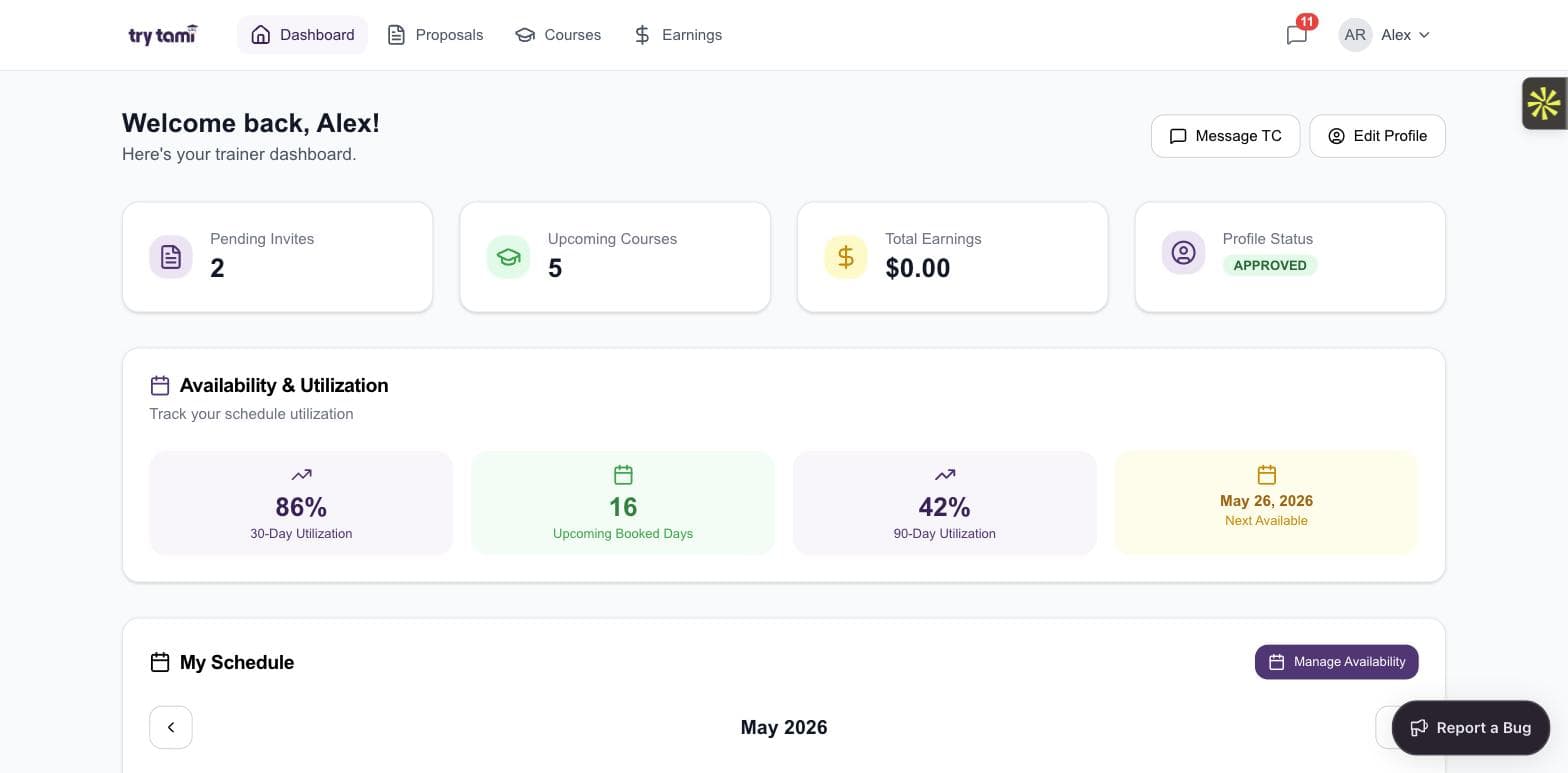
Trainer dashboard
One screen for every trainer.
Pending invites, upcoming courses, total earnings, profile status, utilization. The trainer dashboard surfaces everything an instructor needs in one view.
- Pending proposal invites with one-click accept/decline
- Upcoming courses with dates and clients
- 30-day and 90-day utilization metrics
- Next-available date for quick coordinator lookups
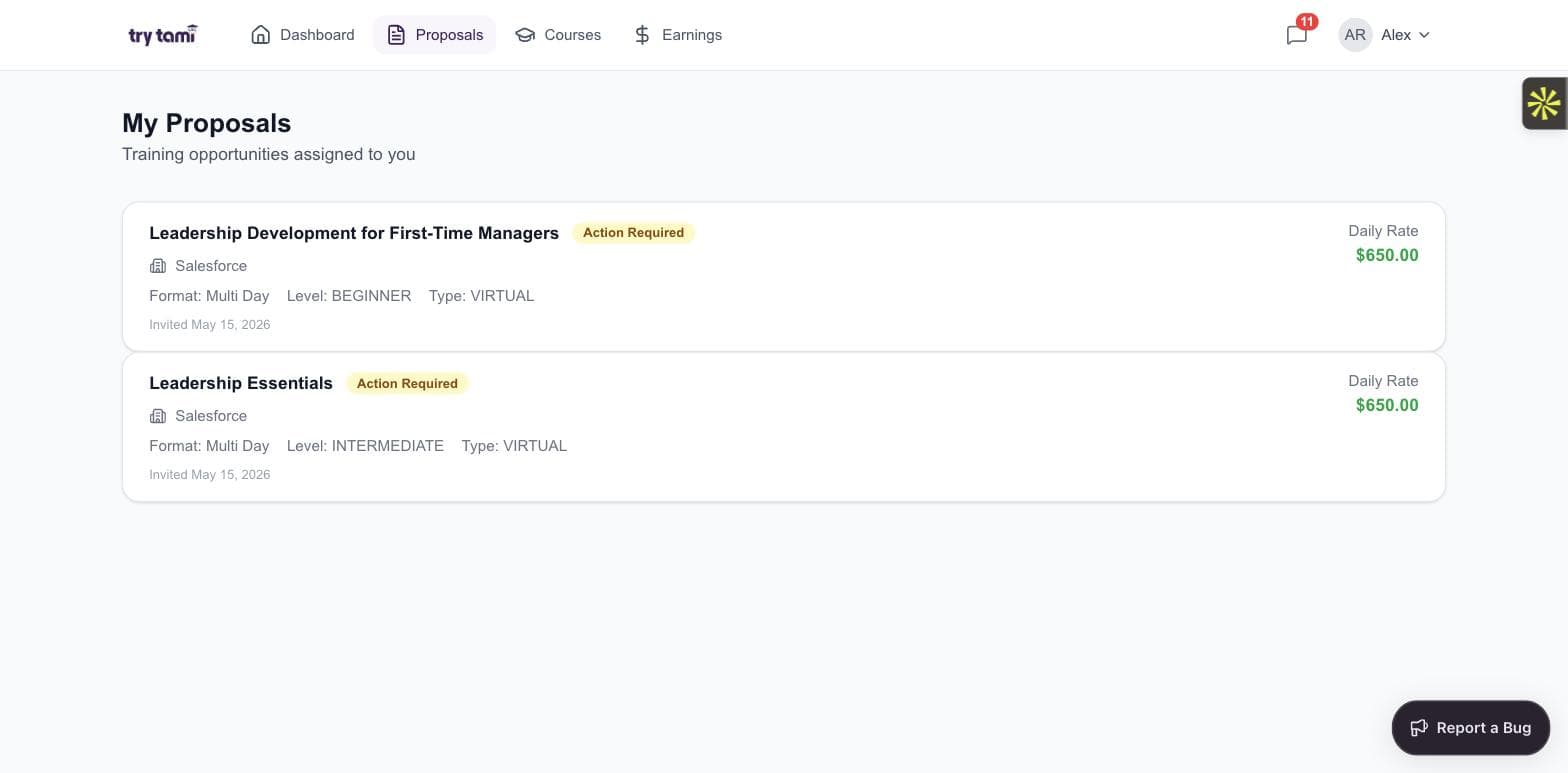
Proposals
Trainers see and respond to invites without an email thread.
Every proposal a trainer is invited to lives in their portal with full course details, daily rate, format, and timeline. Accept or decline in-app, message the training company directly.
- Daily rate, format, and level on every invite
- Action required badges for fast triage
- Filter by status, client, or course
- Audit trail of every accept, decline, and message
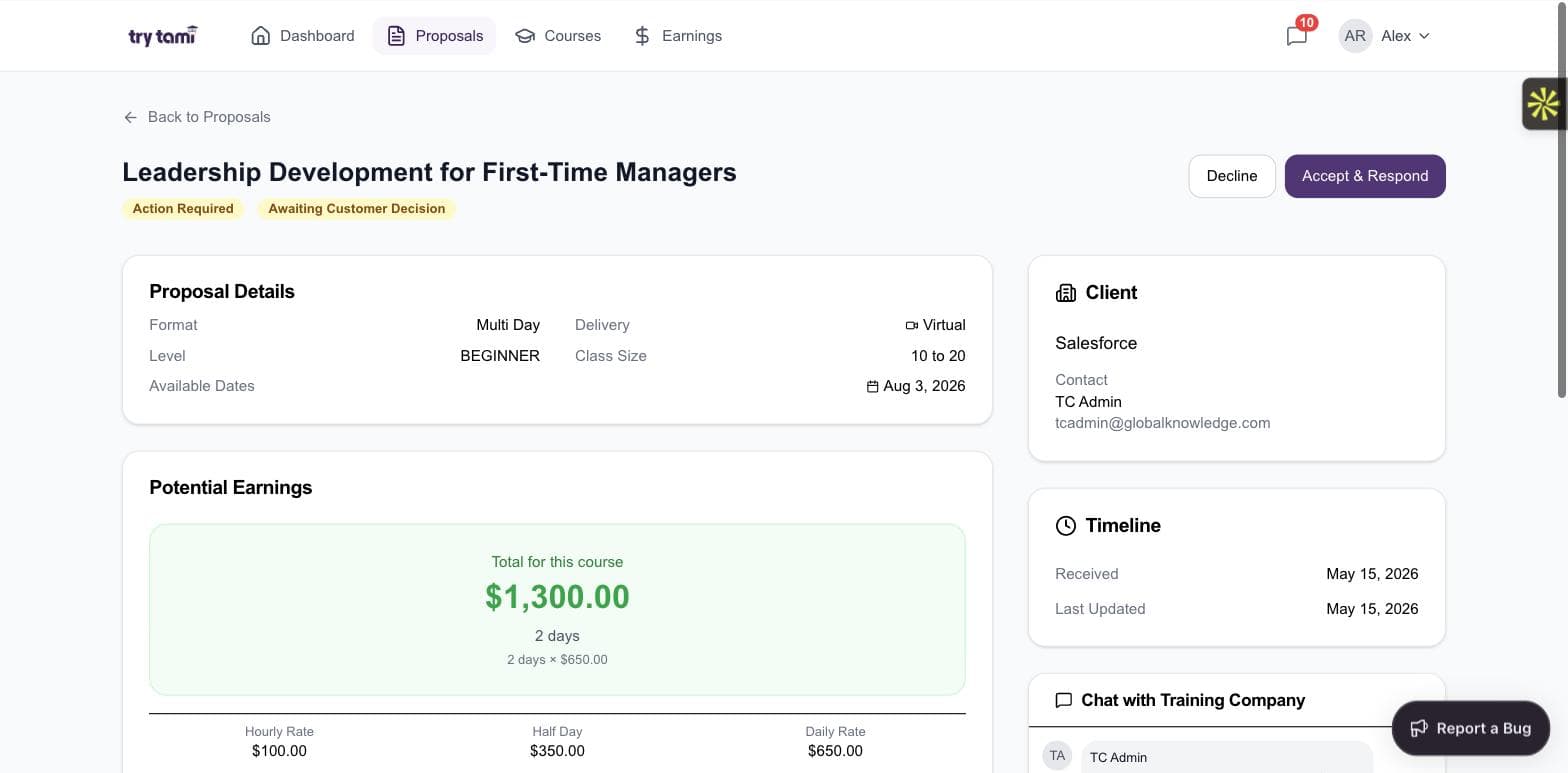
Proposal detail
Full context on every proposal, before they say yes.
Course outline, learning objectives, requested skills, client contact, timeline, earnings breakdown, chat with the training company. Trainers say yes faster because they know more.
- Course outline + objectives in-line
- Earnings preview (daily, half-day, hourly)
- Client contact + timeline visible
- Direct chat with the training company inside the proposal
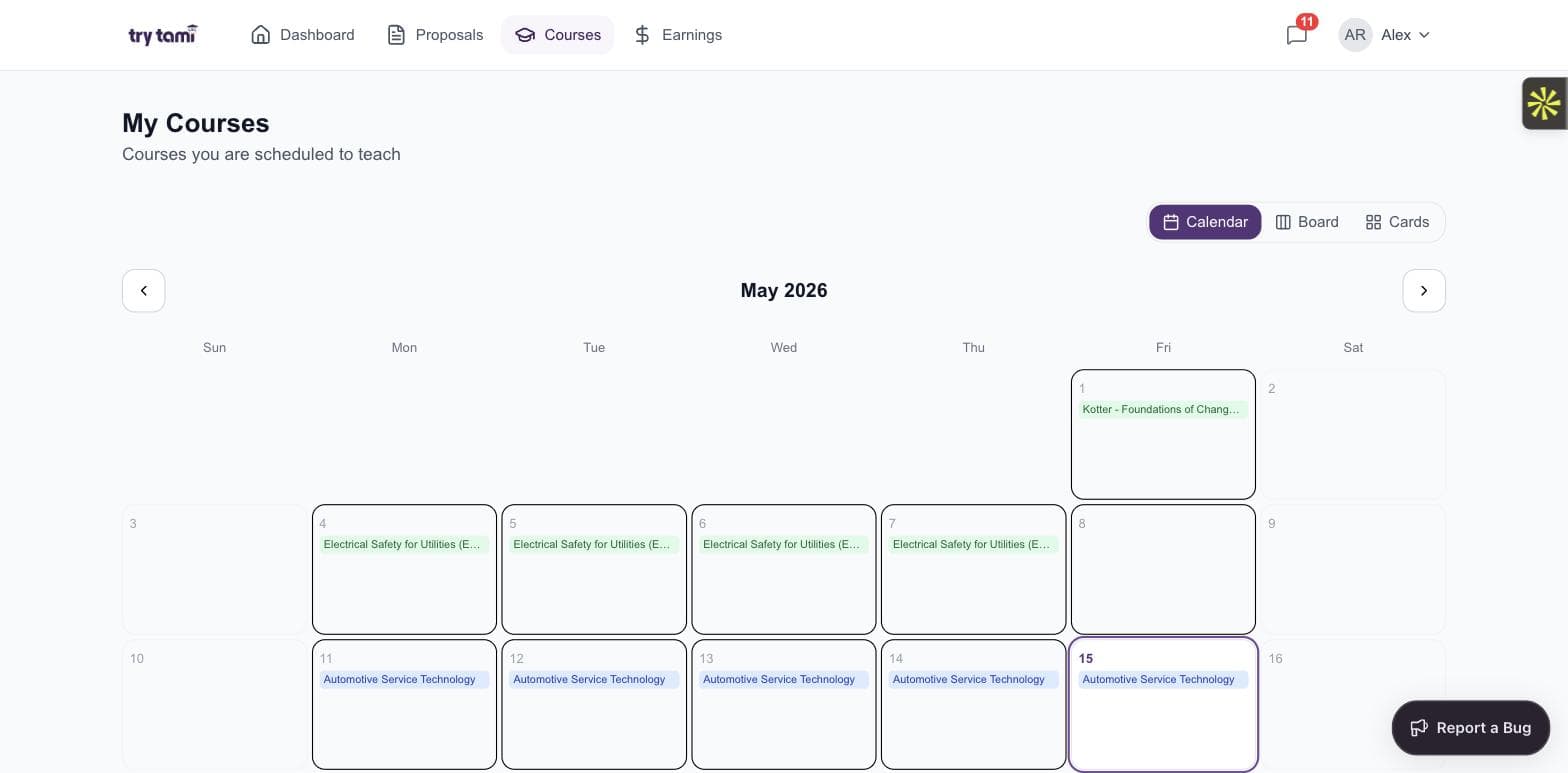
Courses
Trainers see their delivery calendar at a glance.
Every booked session, every multi-day program, every cohort. Calendar, board, or card view, the trainer chooses.
- Calendar, board, and cards view
- Color-coded by client and course
- Drill into any session for full prep context
- Two-way sync with Google and Outlook
Earnings
Trainers track their own income in real time.
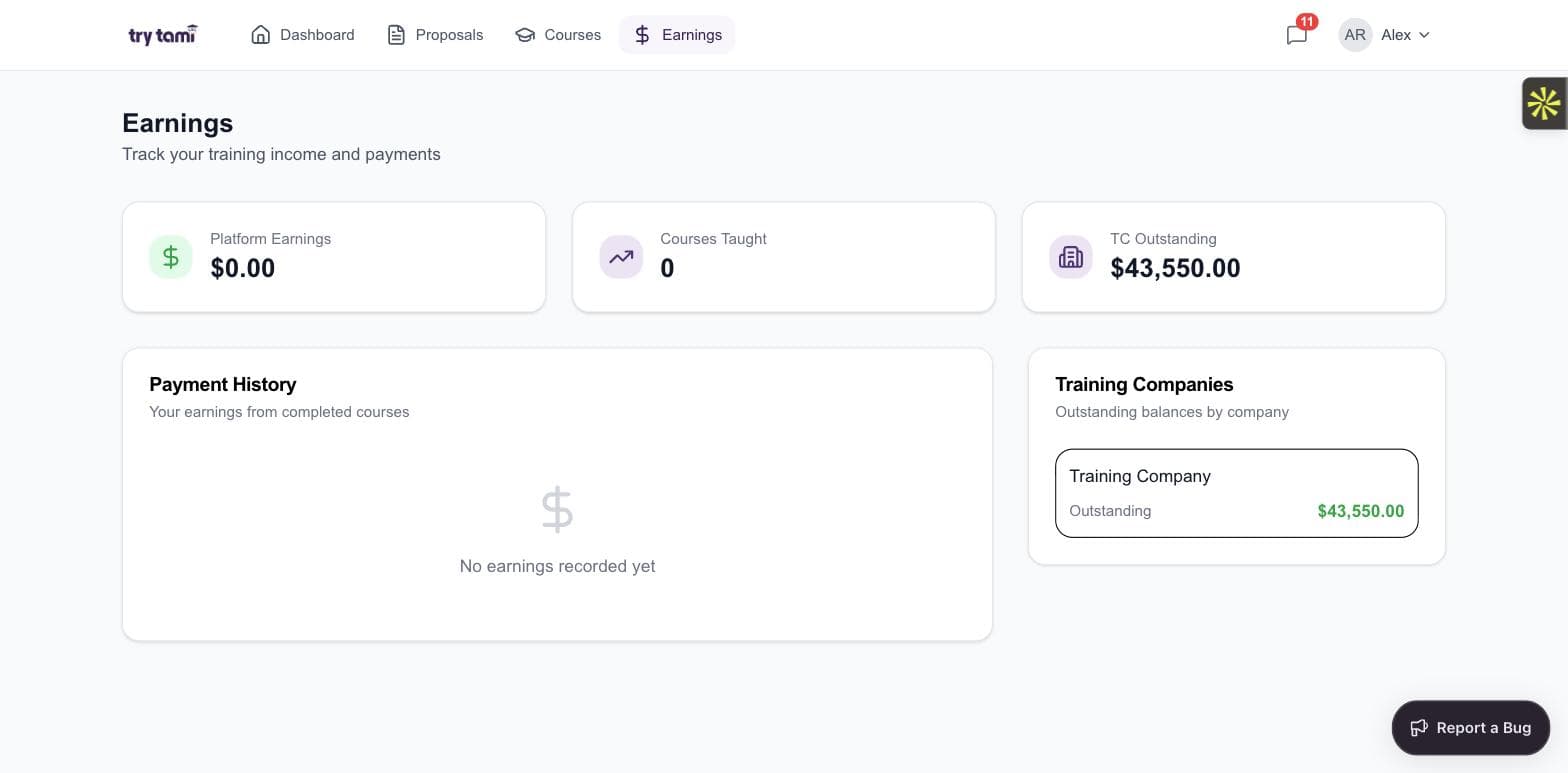
Platform earnings, courses taught, outstanding balances per training company. Trainers see exactly what they've earned and what's owed without filing a support ticket.
- Live earnings ledger across every training company
- Outstanding balance per client
- Payment history with course-level detail
- Statements ready to export for tax prep
Frequently asked questions
What is the difference between an instructor portal and instructor scheduling software?
Instructor scheduling software is the back-office tool your coordinators use to schedule trainers. An instructor portal is the trainer-facing side of the same system: it is where instructors see and act on their own schedules. The strongest instructor scheduling software always includes an instructor portal as part of it.
Does TryTami integrate with Outlook and Google Calendar?
Yes. TryTami syncs two-way with both Outlook and Google Calendar. Sessions appear on the trainer's calendar; their availability flows back into TryTami so AI matching and scheduling stays accurate.
Can trainers update their own availability?
Yes. Trainers control their availability inside the portal. The data feeds AI instructor matching and prevents the back-and-forth that eats coordinator time.
Does the instructor portal work for both W-2 employees and 1099 contractors?
Yes. TryTami treats your full instructor network as one pool. Employees, contractors, and licensed partners all use the same portal experience with appropriate permissions.
People also ask
What is the best instructor scheduling software?
Look for AI-powered matching, two-way calendar sync, self-service availability, and a real instructor portal. Generic scheduling tools were not built for the way training operations actually work.
Training scheduling software →How do training companies handle instructor coordination at scale?
By replacing the email-and-spreadsheet workflow with software that gives every instructor self-service access to their own schedule and availability. AI matching closes the loop so coordinators stop chasing confirmations.
AI instructor matching →Why does instructor experience matter for training businesses?
Happy trainers stay. Trainer churn is one of the most expensive problems in a training business because every replacement requires recruiting, onboarding, and quality risk. Good tooling is a retention lever.
Software for training companies →Related TryTami topics
AI instructor matching
AI matching that uses live availability from the instructor portal.
Training scheduling software
The scheduling layer that powers the portal.
Customer portal
The customer-facing companion to the instructor portal.
Software for training companies
Built for commercial training operations.
See how TryTami runs your training operation.
Request a 30-minute demo with the founders. No slides, just the platform.