
Ask TAMI: the AI assistant built into your training management software
Ask a plain-English question about your instructors, schedule, enrollment, clients, or margins. TAMI reads your TryTami data and answers in seconds, with a note on exactly what it counted.
30-minute demo with a founder.
What is Ask TAMI?
Ask TAMI is an AI assistant inside TryTami's training management software. It answers questions about a training provider's instructors, courses, students, clients, enrollment, and profitability by reading the data already in TryTami, and it recommends scheduling and margin improvements. It is read-only: it can't book, cancel, or move anything.
We built it after months of hearing the same thing from training operators: the answer to “who's free next week” or “what did we make on that client” lives in three spreadsheets and one person's head. Ask TAMI removes that bottleneck. It sits beside every screen in TryTami, so the question you have while looking at a course gets answered about that course.
One question, any part of the operation.
Instructors, scheduling, students, clients, logistics, and billing. Examples below use sample data; every figure comes from records in TryTami.
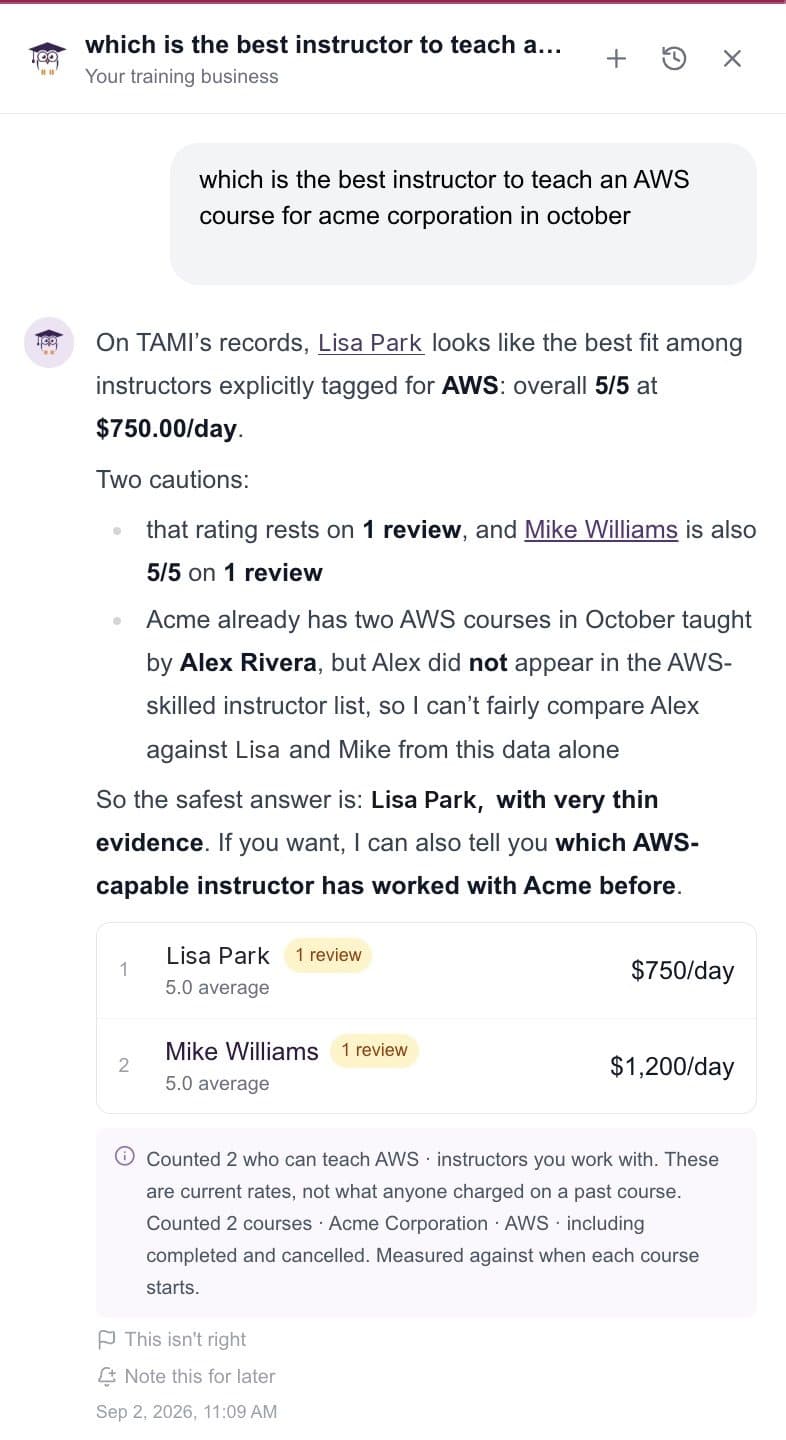
Who are my best AWS instructors?
Lisa Park, 5.0 average at $750/day. Mike Williams, 5.0 at $1,200/day.
Counted 2 who can teach AWS. Ratings rest on 1 review each.
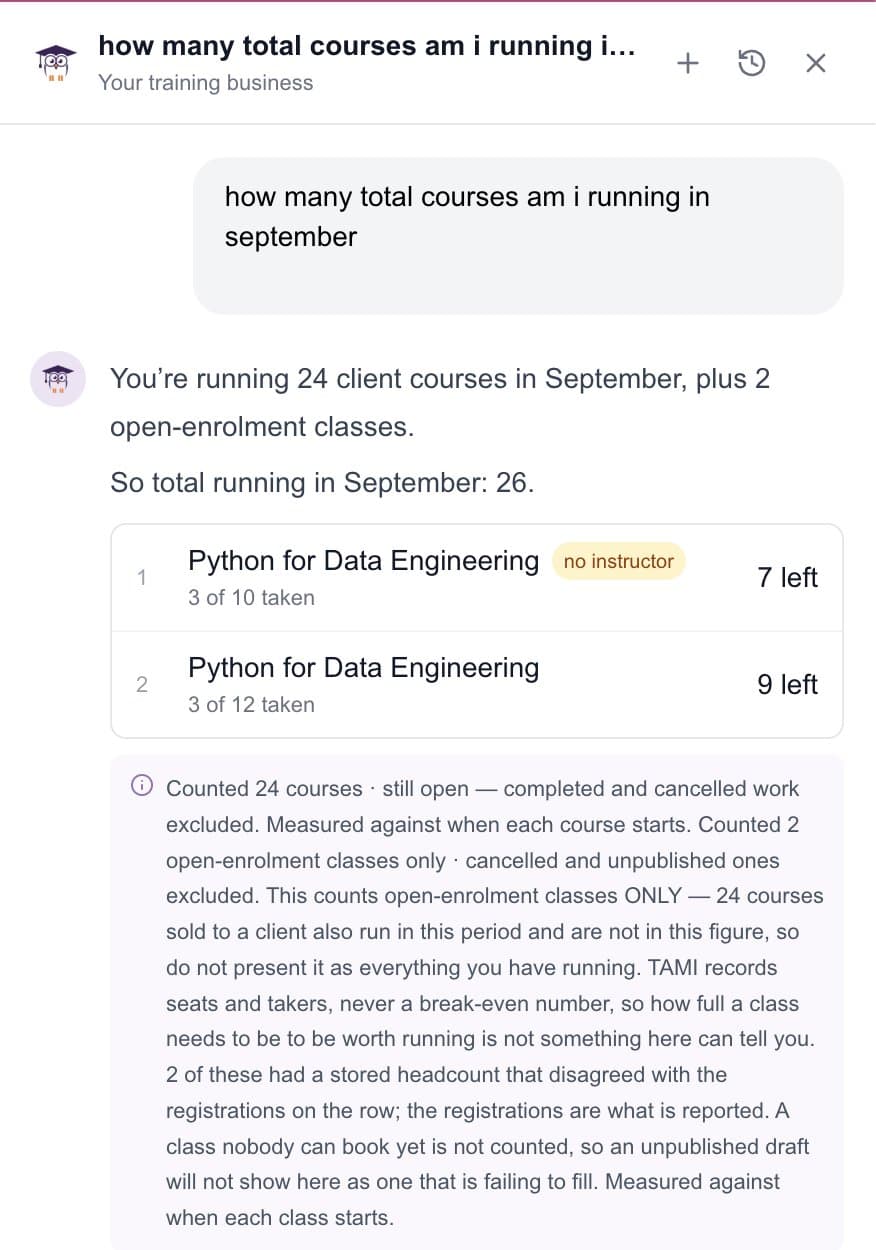
How many courses am I running in September?
24 client courses plus 2 open-enrollment classes. 26 total.
Still-open courses only. Completed and cancelled excluded.
Who's registered for Monday's Python class and who hasn't confirmed?
3 of 10 seats taken. Two registrants have confirmed; one hasn't opened the joining email.
Registrations on the row, not stored headcount. Confirmation status from the last send.
Who needs chasing?
Clients with open balances and POs close to running out, ranked by amount.
Counted invoices past due date. Draft invoices excluded.
Why is this course flagged?
No trainer assigned, 15 days out (threshold is 21). Materials not uploaded.
Answered about the course on screen, not your whole business.
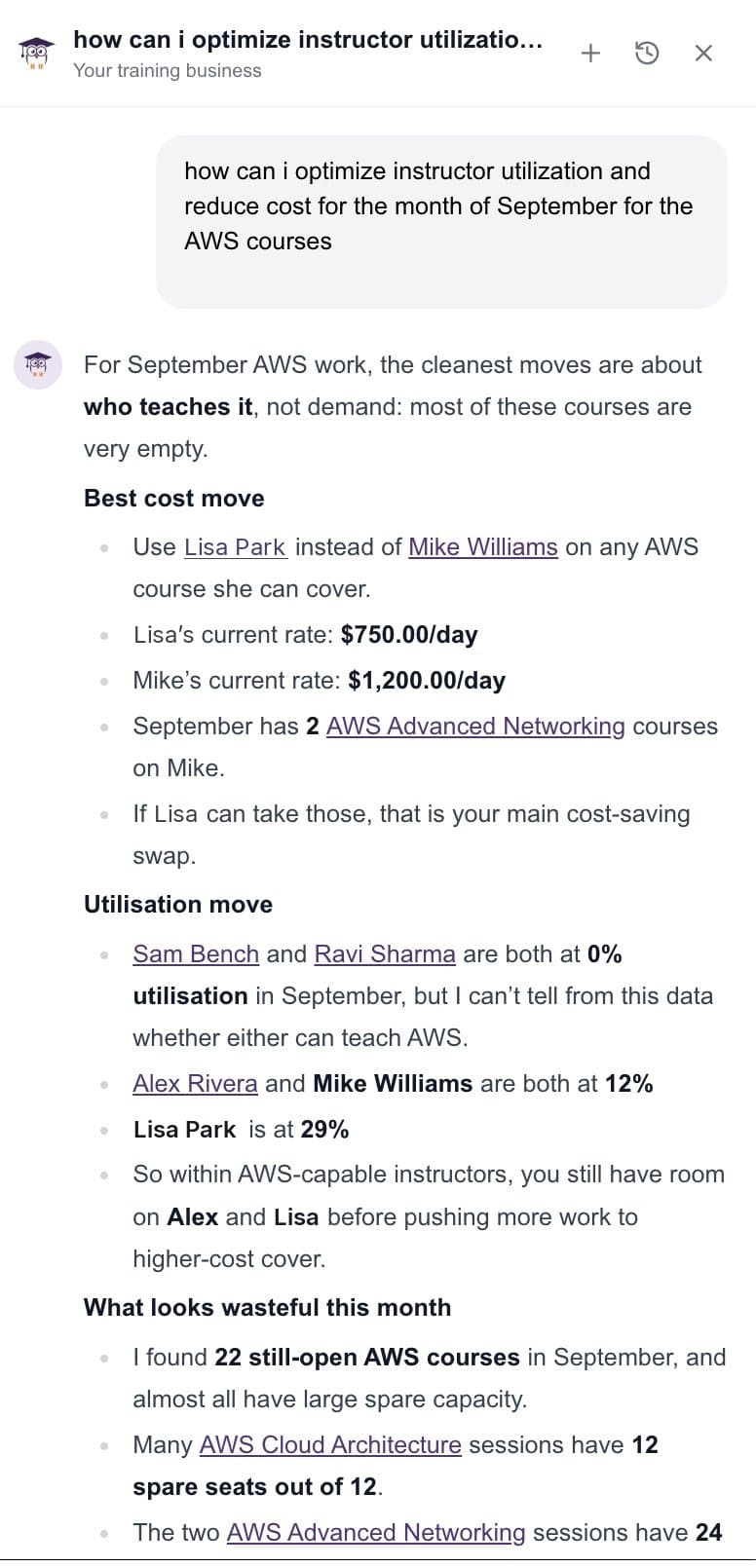
How do I cut instructor cost in September?
Move two AWS Advanced Networking sessions from Mike to Lisa. Saves $450/day each.
Current rates. Lisa is at 29% utilization and holds AWS.
How it answers
Numbers come from your data, not from the model's guess.
TryTami computes totals, margins, and utilization in code and hands the finished figure to the assistant. The model never does arithmetic on rows it fetched, and every answer says what it counted, what it excluded, and why.
- Reads only your workspace, and only what your role can see
- Figures are calculated by TryTami, then explained by TAMI
- Every answer carries a note on what was counted and excluded
- If the evidence is thin (one review, a partial cost), it says so
Recommendations
It doesn't just report. It suggests the move.
Ask how to cut instructor cost or lift utilization for the month and TAMI proposes specific, checkable swaps: which session, which instructor, what it saves. You decide; it opens the screen.
- Instructor swaps with the per-day saving spelled out
- Utilization by instructor, so you see bench capacity before hiring cover
- Courses at risk, and why each one is flagged
- Follow-up chips keep the thread going without retyping context
Read-only by design.
Book, cancel, or move anything
Ask TAMI can note it for you and open the screen that does it. The change is always yours.
Invent a number
If TryTami doesn't record it (a break-even seat count, say), TAMI tells you it can't answer rather than estimating.
Train on your data
Your records answer your questions. They are not used to train models for anyone else.
Bring your hardest 'who's free' question.
We'll answer it in the demo, with your own instructors and schedule.
Frequently asked questions
Is Ask TAMI included in my plan?
Yes. Ask TAMI is included in every TryTami plan at no extra cost.
What data can it see?
Everything in your TryTami workspace that your user role can see: instructors, courses, clients, registrations, invoices, evaluations. It never reaches outside TryTami.
How accurate is it?
Figures are computed by TryTami, not the model, and every answer states what it counted and what it excluded. If you spot something wrong, flag it with 'This isn't right' on the answer.
Is my data used to train AI models?
No. Your data is used only to answer your questions. It is never used to train models for TryTami or anyone else.
Can it take actions in TryTami?
No. Ask TAMI is read-only. It can note a task for later and open the right screen, but booking, cancelling, and editing stay with you.
Where does it live in the product?
A side panel available on every screen. It knows what you're looking at, so a question asked from a course page is answered about that course unless you ask across all courses.
Related TryTami features + topics
AI instructor matching
Ranked best-fit trainers for every session.
AI Ops Intelligence
Decision-support analytics across delivery.
AI in corporate training
What's actually working in the operational layer.
Training management software
The platform Ask TAMI sits inside.
Tracking & reporting
Real-time visibility across instructors and sessions.
Training operations
TryTami for the people running the back office of training.
See Ask TAMI answer questions about your training business.
Bring your hardest 'who's free' or 'what did we make' question. We'll show you the answer with your own data.