
Training Operations Software: Turn Operations Into a Growth Advantage
Operations is what decides whether a training business runs profitably. TryTami simplifies the work behind every program so your team runs more sessions, more efficiently, with healthier margins.
What is training operations?
Training operations is the function that runs the back office of an instructor-led training business, scheduling courses, coordinating instructors, managing logistics, processing invoices, and reporting on delivery. It's the difference between a training program that happens and a training program that doesn't.
In a small training company, training ops is one person juggling spreadsheets. In a large enterprise L&D org, it's a team of coordinators handling thousands of sessions a year. Either way, the work is the same: keep the calendar accurate, the instructors paid, the clients happy, and the lights on. Training management software is what makes that work scale.
Why training ops leaders choose TryTami
Software that respects how training operations actually work.
Schedule that handles the real complexity
Public, dedicated, on-site, virtual, multi-region, all in one calendar with conflict detection and trainer availability layered in.
Instructor coordination, automated
AI-powered matching surfaces the best-fit trainer for each session in seconds, replacing hours of manual email coordination per booking.
Bulk operations for the back office
Edit hundreds of sessions, instructors, or invoices at once. Built for ops teams that can't click through 500 records.
Billing + AR tracking
Booked, dedicated, public-course revenue, client balances, owed-to-trainers, every number your finance team needs, surfaced live.
Calendar integrations
Two-way sync with Google Calendar and Outlook so trainer availability stays current and conflicts surface before you commit.
Operations intelligence
Know which courses are profitable, which trainers are over-booked, which clients are slipping, before it shows up in reporting.
Schedule
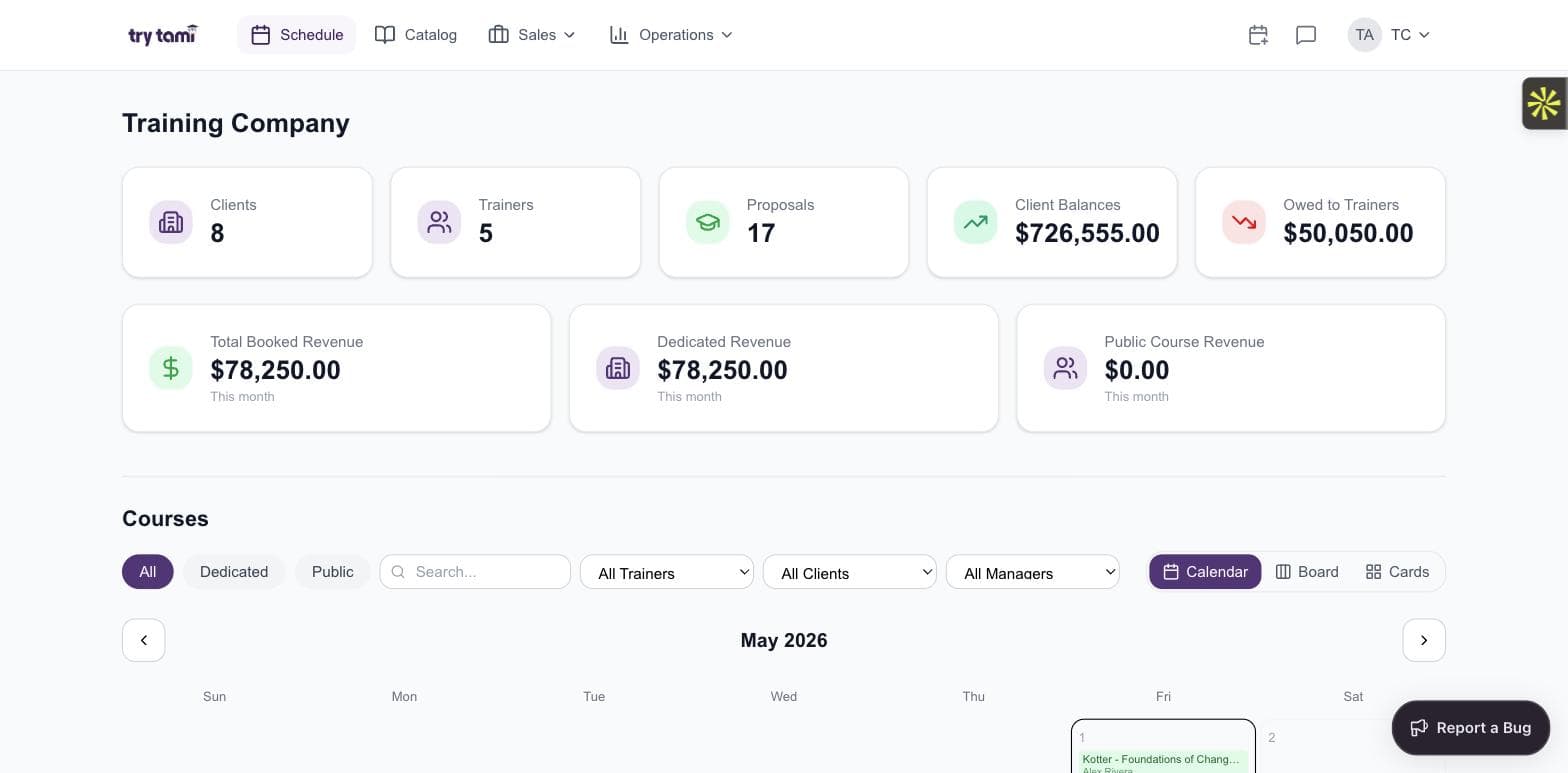
The schedule is the operation.
If your schedule is a Google Calendar with a hundred competing colors, you don't have a schedule, you have a wish. TryTami's schedule is the actual system of record.
- Calendar, board, and card views
- Filter by trainer, client, or program
- Conflict detection before you commit
- Drag-and-drop rescheduling that updates everything downstream
The math
What manual training operations really costs.
Most ops teams underestimate the cost of running on spreadsheets. The labor cost is the obvious part. The lost capacity is the bigger one.
Baseline: Training operations team running ~25 sessions per month.
$125K/yr
Custom quote
$95K–$115K/yr
Book a demo for your numbers
Your numbers will be different. Run the calculator with your team size, session count, and current admin spend.
Run your own numbers →Stop being the bottleneck.
See how training ops teams use TryTami to take 70% of the manual work off their plate.
Trainers
A trainer network you can actually run.
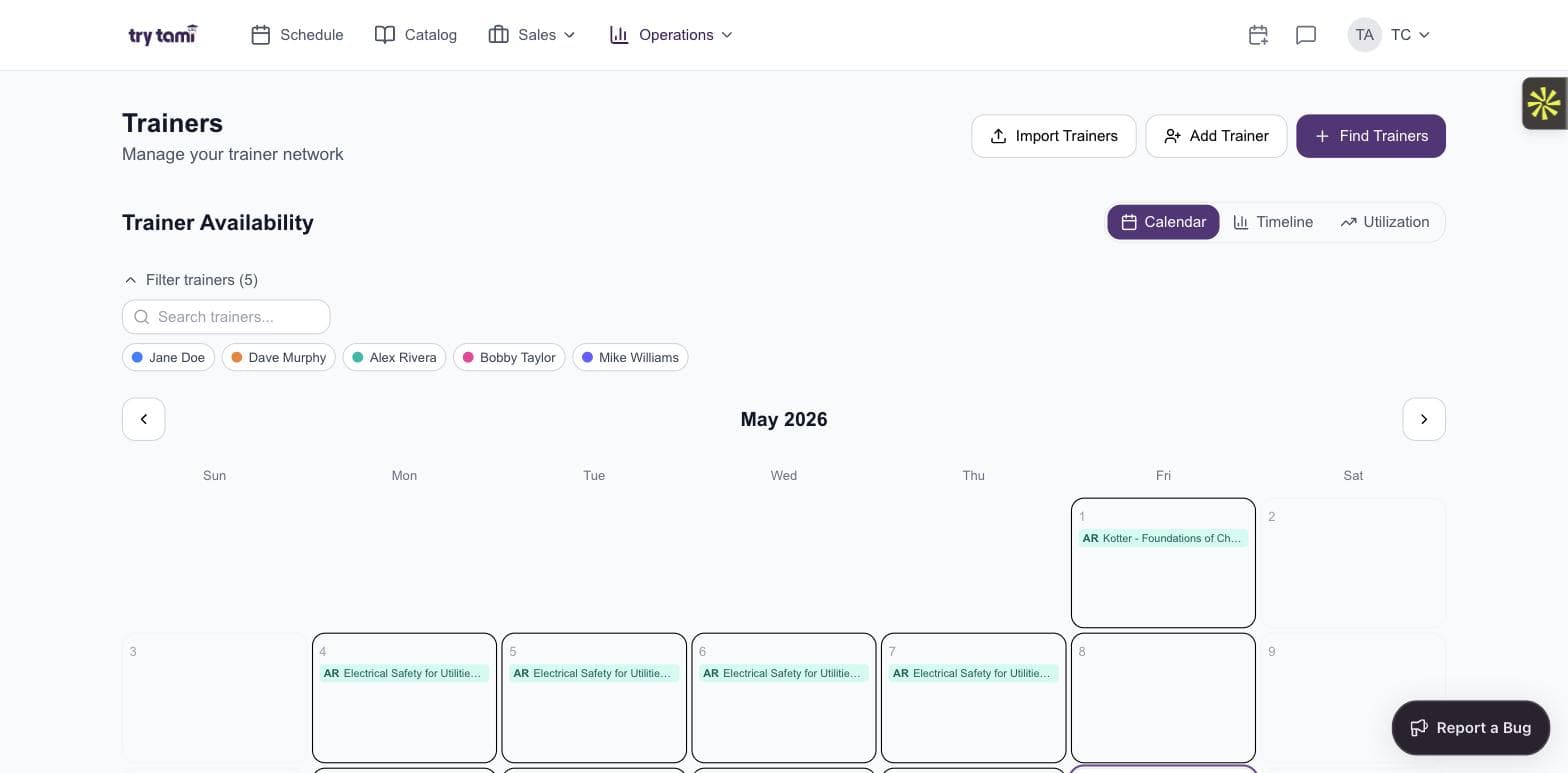
Whether your network is 5 instructors or 500, TryTami treats trainers as a first-class resource, availability, utilization, skill-matching, and what's owed all in one view.
- Calendar, timeline, and utilization views
- Filter by trainer or skill
- Bulk add, import, or recruit
- Track what's owed per trainer per session
Ops intelligence
Surface what's breaking before someone has to ask.
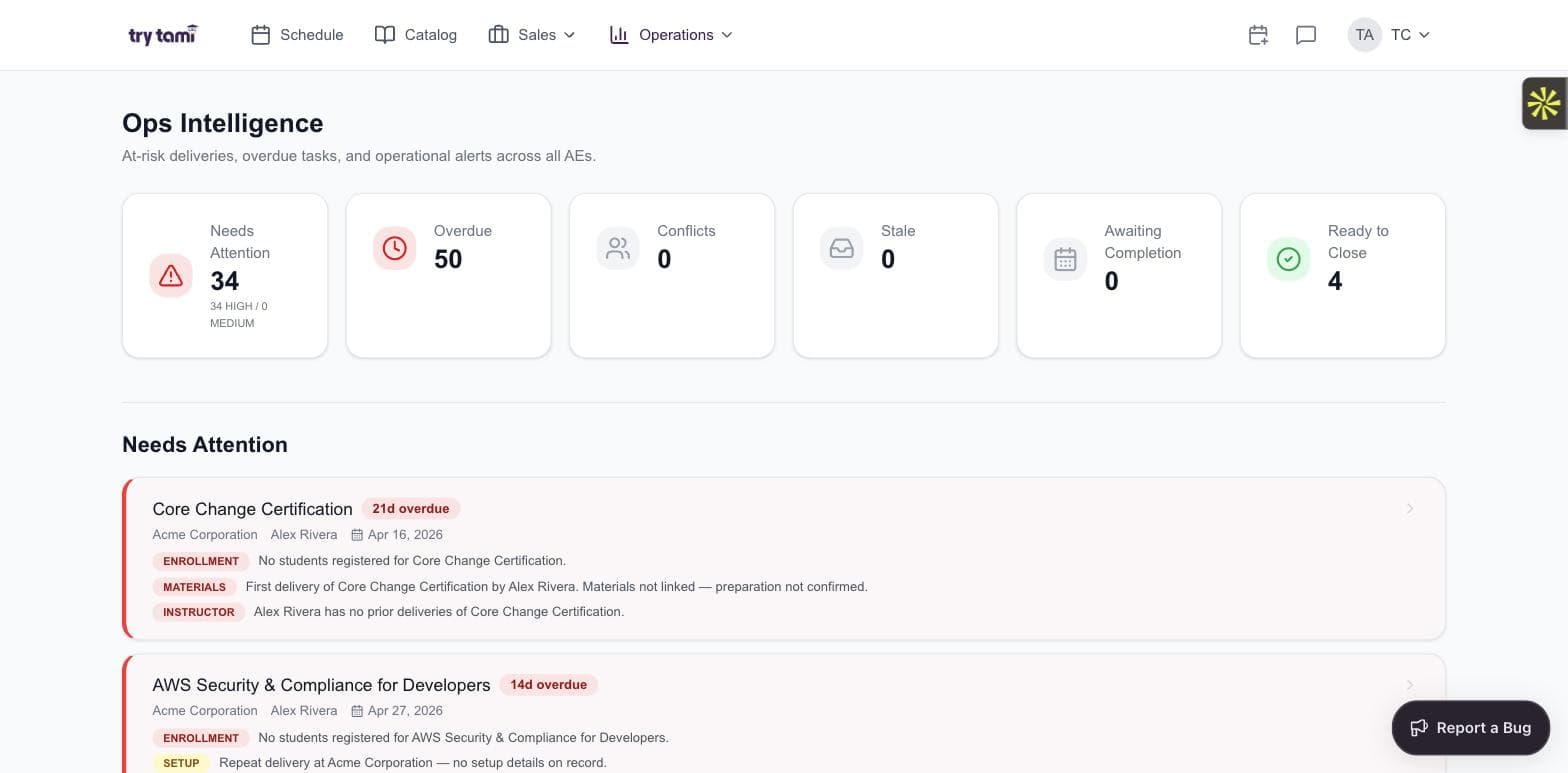
Overdue deliveries, materials not linked, enrollment gaps, conflicts, stale items, ready-to-close. The ops dashboard shows you what needs your team's attention now, ranked by severity.
- At-risk deliveries flagged automatically
- Overdue tasks ranked by priority
- Conflict detection across the schedule
- One-click drill-down into the underlying record
Evaluations
Close the loop on every session.
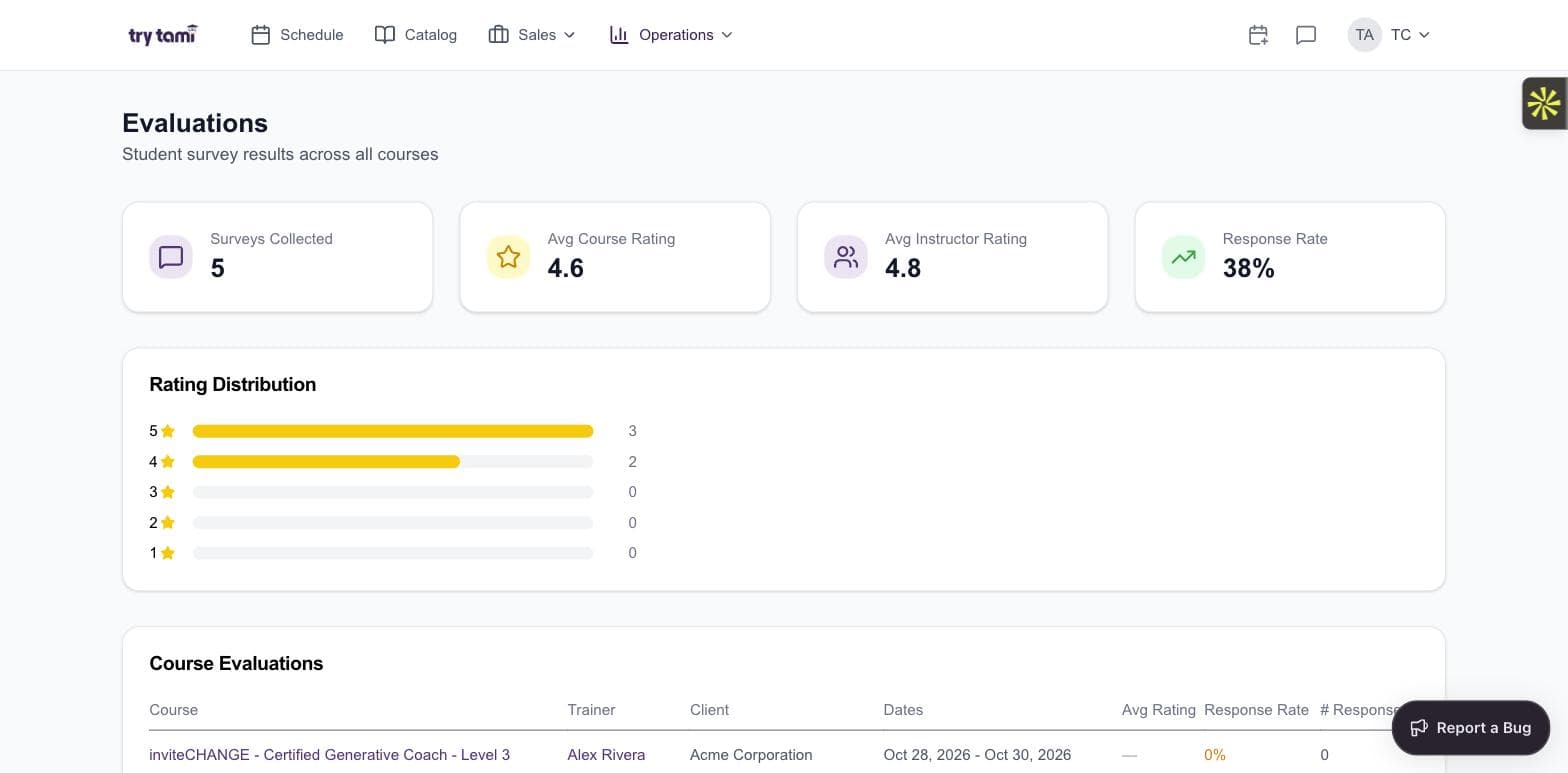
Course ratings, instructor ratings, response rates, distribution, all collected automatically and surfaced where your team can act on them.
- Automated post-course survey collection
- Rating distribution across courses and instructors
- Response rate tracking per delivery
- Feed evaluations back into the instructor matching engine
Frequently asked questions
What's the difference between training operations and training management?
Training operations is the back-office function that runs delivery. Training management is the broader category that includes operations plus strategy, design, and measurement. TryTami serves both, but if your role is operations, you'll feel it most.
Can TryTami handle bulk operations?
Yes. Edit hundreds of sessions, instructors, or invoices at once via bulk operations, built for ops teams that don't have time to click through one record at a time.
Does TryTami integrate with accounting systems?
TryTami's roadmap includes native integrations with major accounting platforms (QuickBooks, Xero, NetSuite). Today we export billing data via CSV/API.
How does TryTami's instructor matching work for ops?
TryTami's AI-powered instructor matching scores every qualified instructor against a session's requirements (skills, availability, location) and surfaces a ranked shortlist. Replaces hours of manual coordination per booking.
What size training ops team is TryTami for?
TryTami fits ops teams running 20+ sessions a month, from solo coordinators to teams of 20+. Smaller volume can survive on spreadsheets; most break around 50 sessions.
People also ask
How do I automate training operations?
Automate scheduling (calendar sync), instructor matching (AI), bulk admin, and reporting. Most ops bottlenecks are coordination, software is what unblocks them.
Training automation →What's the best training scheduling software?
The best scheduling software for ILT is one that integrates with the rest of your training stack, instructor management, billing, reporting.
Training scheduling software →How does AI fit into training operations?
AI is replacing manual coordination tasks, instructor matching, schedule conflict resolution, proposal drafting, that used to require dedicated headcount.
AI in corporate training →How do I measure training operations efficiency?
Track time-to-schedule, instructor utilization, and admin-cost-per-session. The first two are operational; the third is strategic.
Training ROI →Run training operations at scale
Running training in Asana, Monday or Trello
Where project-management tools break for instructor-led delivery.
Training operations statistics (2026)
Sourced data on ILT volume, staffing, and the operations gap.
Training operations metrics & KPIs
The numbers that tell you whether delivery is efficient.
Instructor utilization
How to measure and raise it without burning out the bench.
What a training operations manager does
The role, the metrics, and the tools.
Free training schedule template
And the five signs you've outgrown it.
Training company challenges (2026)
What keeps ILT providers up at night, ranked.
US instructor-led training market size
How big live training still is, with sources.
Smart rescheduling
Reschedule classes in minutes with automated communications.
Training scheduling software
Purpose-built scheduling for ILT, trainers, sessions, conflicts.
Training registration software
Capture sign-ups, manage waitlists, and flow data through your operation.
Training matrix software
Replace the training matrix spreadsheet with live completions, certifications, and utilization.
Training analytics
The metrics that drive revenue, margin, and program decisions.
Training automation
Automate the manual work behind training delivery.
AI in corporate training
How AI is reshaping the operational layer of L&D.
Training companies
If you run a commercial training business.
Enterprise training management
Training operations at global enterprise scale.
Compare TMS platforms
Head-to-head comparisons against major TMS competitors.
Stop running training ops on duct tape.
See TryTami in a 30-minute demo with the founders. We'll show how it'd run your actual schedule.
From the blog
Running a Training Business in Asana, Monday or Trello: Where Project-Management Tools Break
Asana, Monday and Trello work for training scheduling up to ~20 sessions a month. Here is where they break for instructor-led delivery.
The 15 Biggest Challenges Training Companies Face (What We Hear on Calls)
What training company leaders told us makes it hardest to deliver training and grow: instructor benches, spreadsheets, CRMs, the LMS gap and invisible margin.
Training Operations Statistics (2026)
Training operations statistics for 2026: spend, delivery mix, the staffing bottleneck, and the outsourced provider market — every figure sourced.