
Customer portal software built for training companies.
Stop being the middleman between your clients and their training. TryTami's customer portal gives them self-service access to schedules, course catalogs, registrations, and history. You sell more, your team handles less email, and your clients have a better experience.
What is a customer portal for training companies?
A customer portal (sometimes called a client portal) is a branded self-service web area where your training clients can view available courses, see their team's training history, register learners for sessions, and manage their account. For training companies, a customer portal is the layer that turns operations into a self-service sales channel: clients book more, faster, with less email back-and-forth.
Generic customer portal software is built for SaaS or professional services. Training-company customer portals have to handle course catalogs, capacity rules, multi-learner registration, certifications, and per-client branding. TryTami's customer portal is purpose-built for training providers and ties directly into the same scheduling, instructors, and revenue data that powers the rest of your operation.
What the customer portal does
Self-service for your clients. Less back-and-forth for your team.
Branded self-service experience
Your logo, your colors, your URL. Clients see a portal that feels like part of your brand, not a third-party tool.
Course catalog and schedule visibility
Clients see every available course, every upcoming session, and live capacity. No more 'what's on offer next quarter' emails.
Self-service registration
Clients register their team for public or private sessions in a few clicks. Waitlists, capacity rules, and approvals all handled.
Per-client training history
Every session attended, every certification earned, every evaluation completed. Their full record, ready to export.
Account managers and approvers
Set up role-based access so corporate procurement, learners, and managers each see what they should.
Lifts revenue, lowers cost per booking
Self-service is the closest thing your training business has to scalable sales. The portal pays for itself the first time a client books a session without a single email.
Turn your training operations into a self-service sales channel.
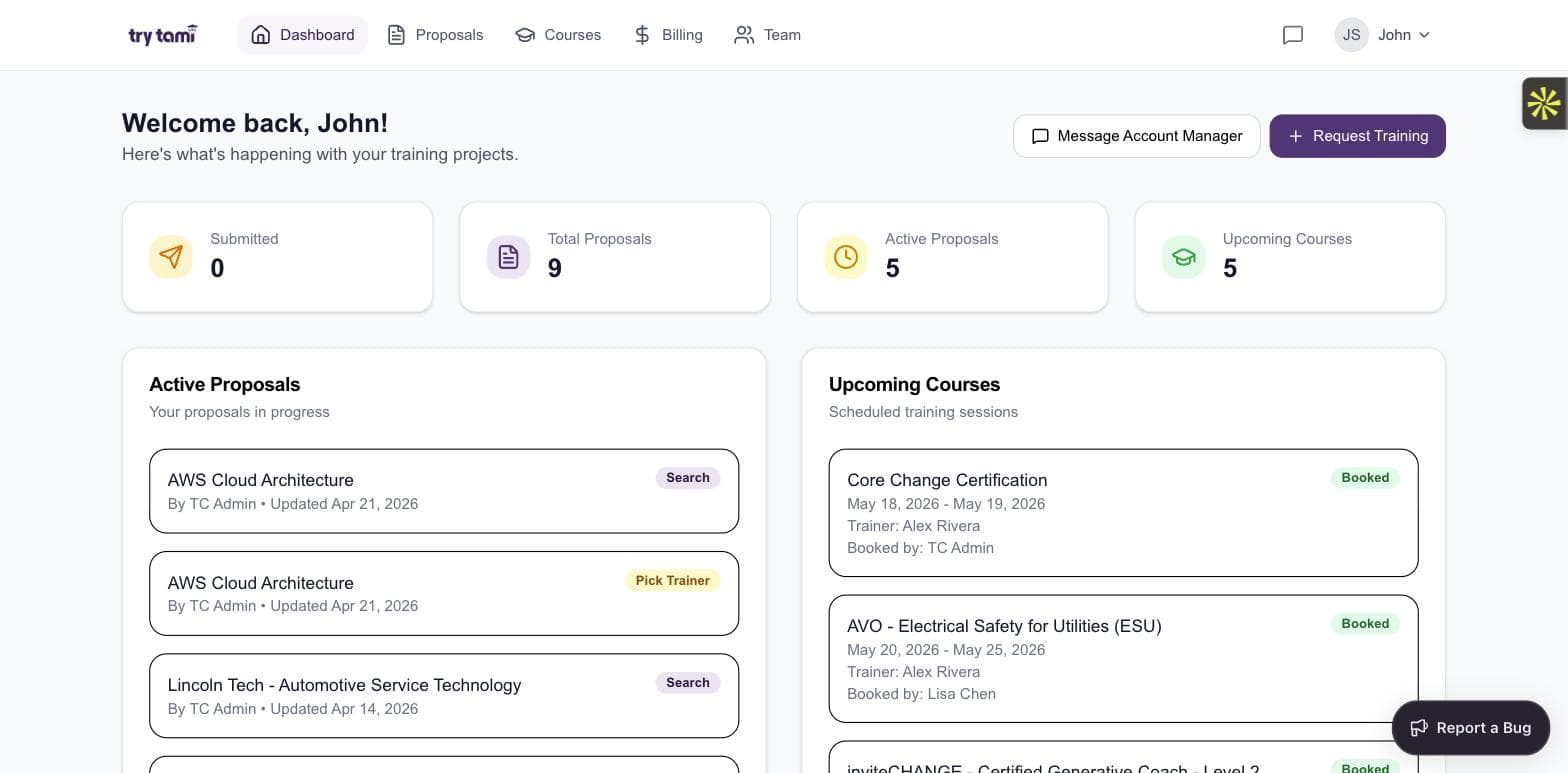
Dashboard
Your customers' home base.
One page for active proposals, upcoming courses, account stats, and direct-message with their account manager. No more 'where are we on this?' email threads.
- Live proposal status (Submitted, Designing, Search, Pick Trainer)
- Upcoming courses with dates and trainers
- Quick stats: total proposals, active proposals, upcoming courses
- One-click 'Request Training' to start a new proposal
Proposals
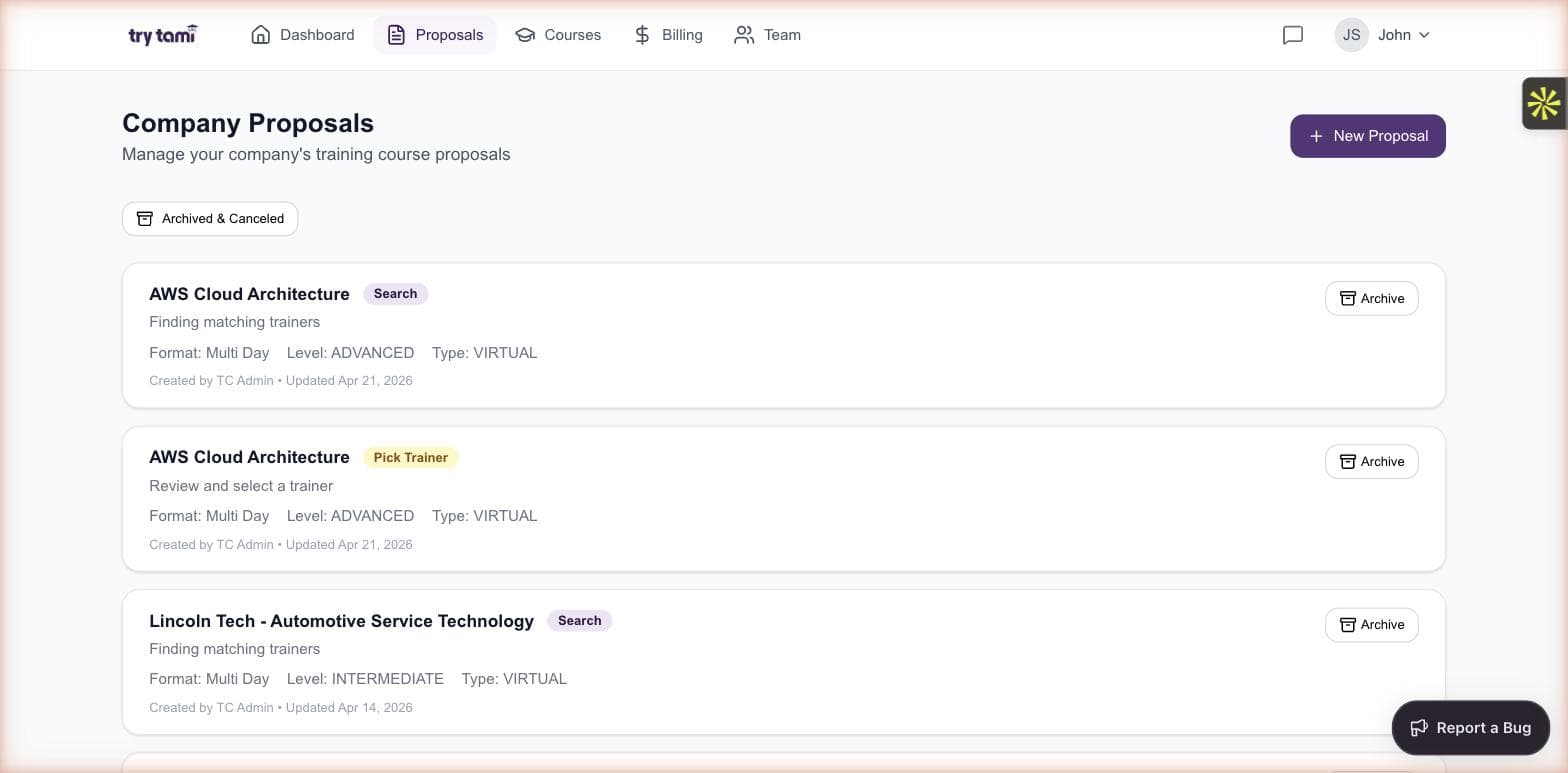
Customers see every proposal in flight.
Stage-by-stage visibility from initial request through trainer selection. No PDFs to chase, no email threads to dig through, no surprises at the kickoff.
- Filter by status, course, or contact
- Stage indicator on every proposal card
- Archive without losing history
- New proposal creation directly from the portal
Courses
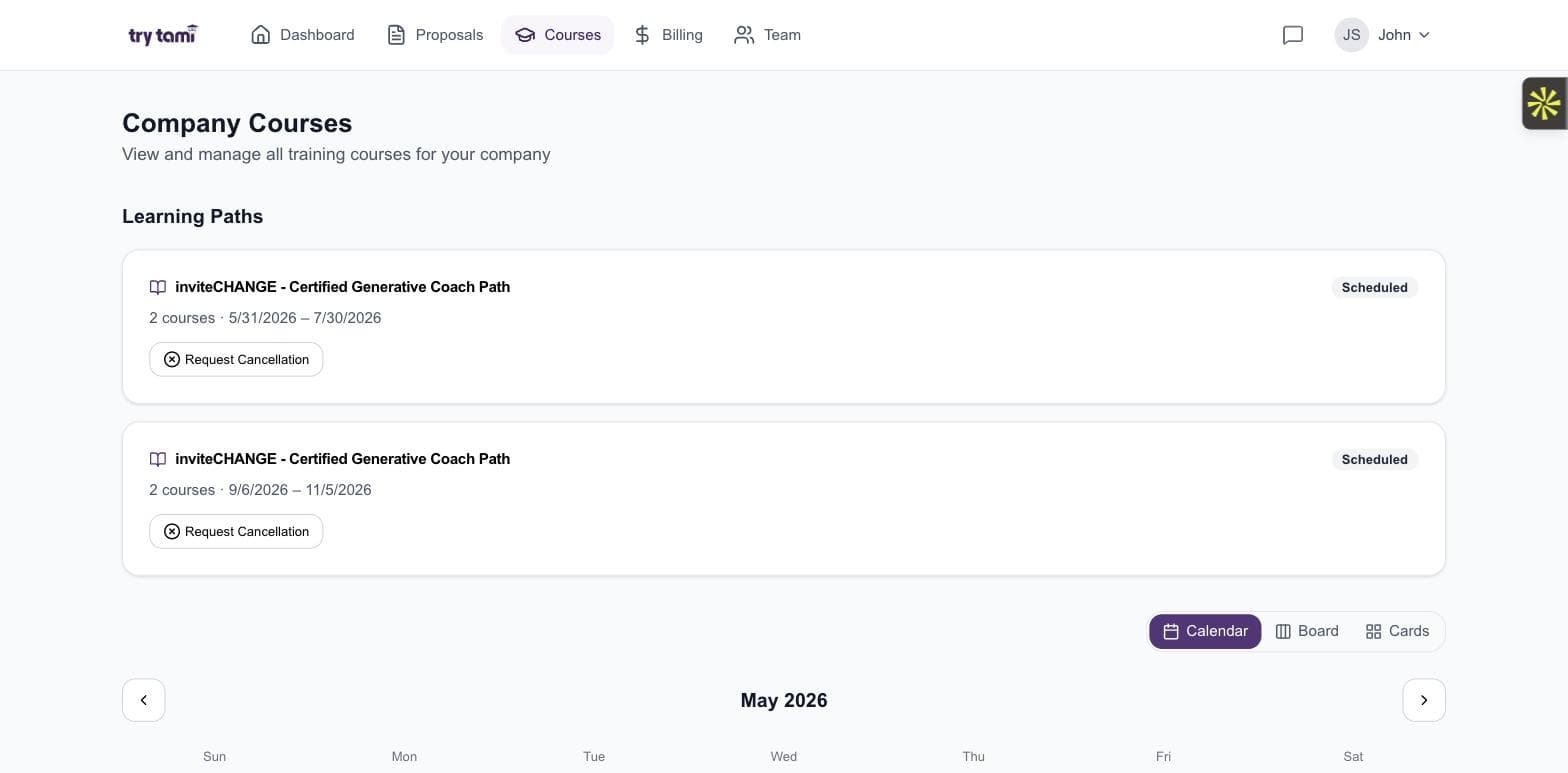
Self-service course management for your customers.
Customers see their full course calendar, learning paths, and registration status. They can request cancellations or reschedules in-app instead of pinging your ops team.
- Calendar, board, and cards view of every scheduled course
- Learning paths with multi-course tracking
- Request cancellation or reschedule in-app
- Status badges per course (Scheduled, Booked, Completed)
Billing
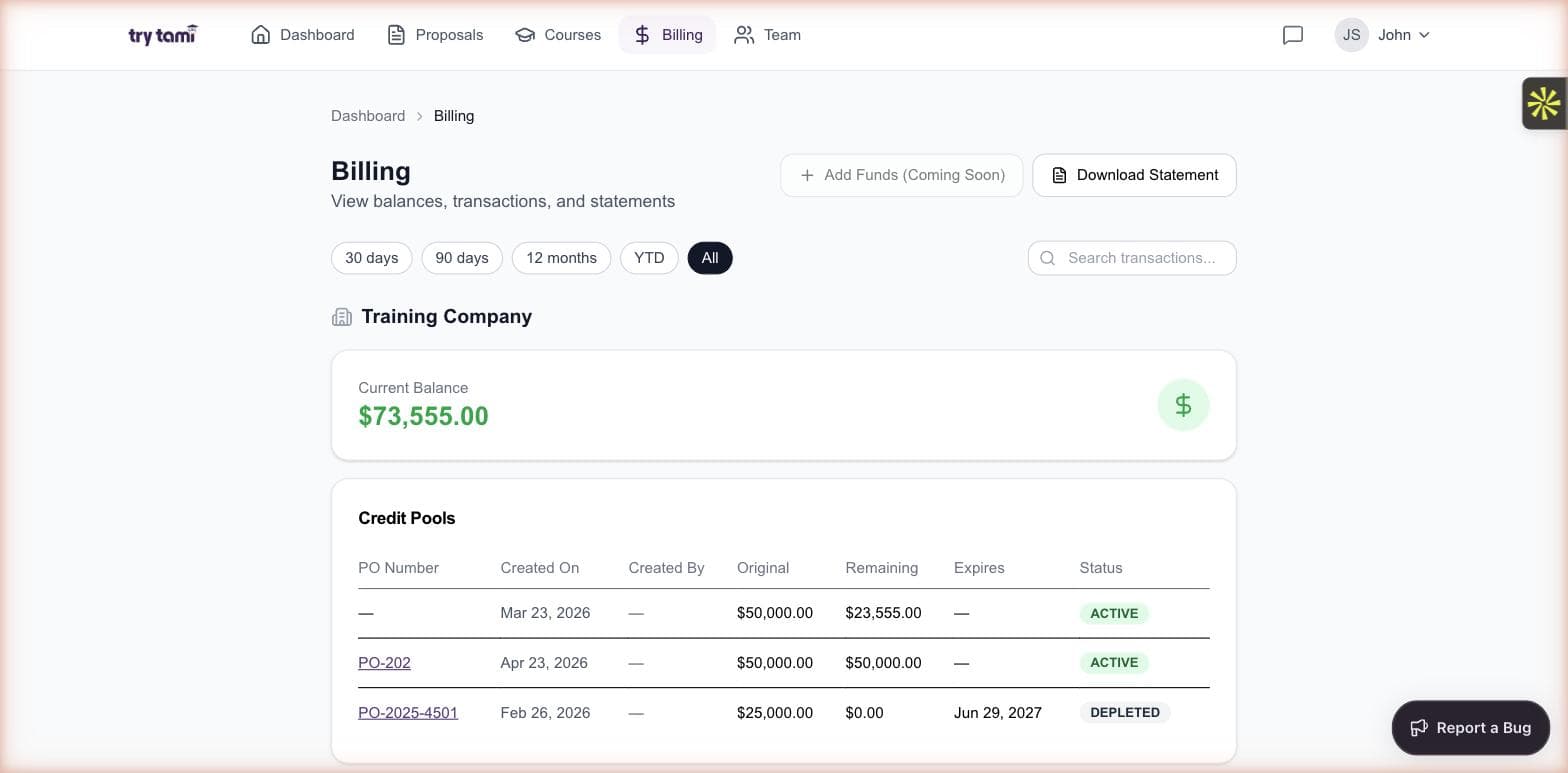
Transparent billing your customers can audit themselves.
Prepaid balances, PO-backed credit pools, transaction history, downloadable statements. Customers see exactly what they've spent and what's remaining.
- Real-time current balance
- PO-backed credit pools with status (Active, Depleted, Expired)
- Transaction history with search and date filters
- Statements ready to download for procurement and finance
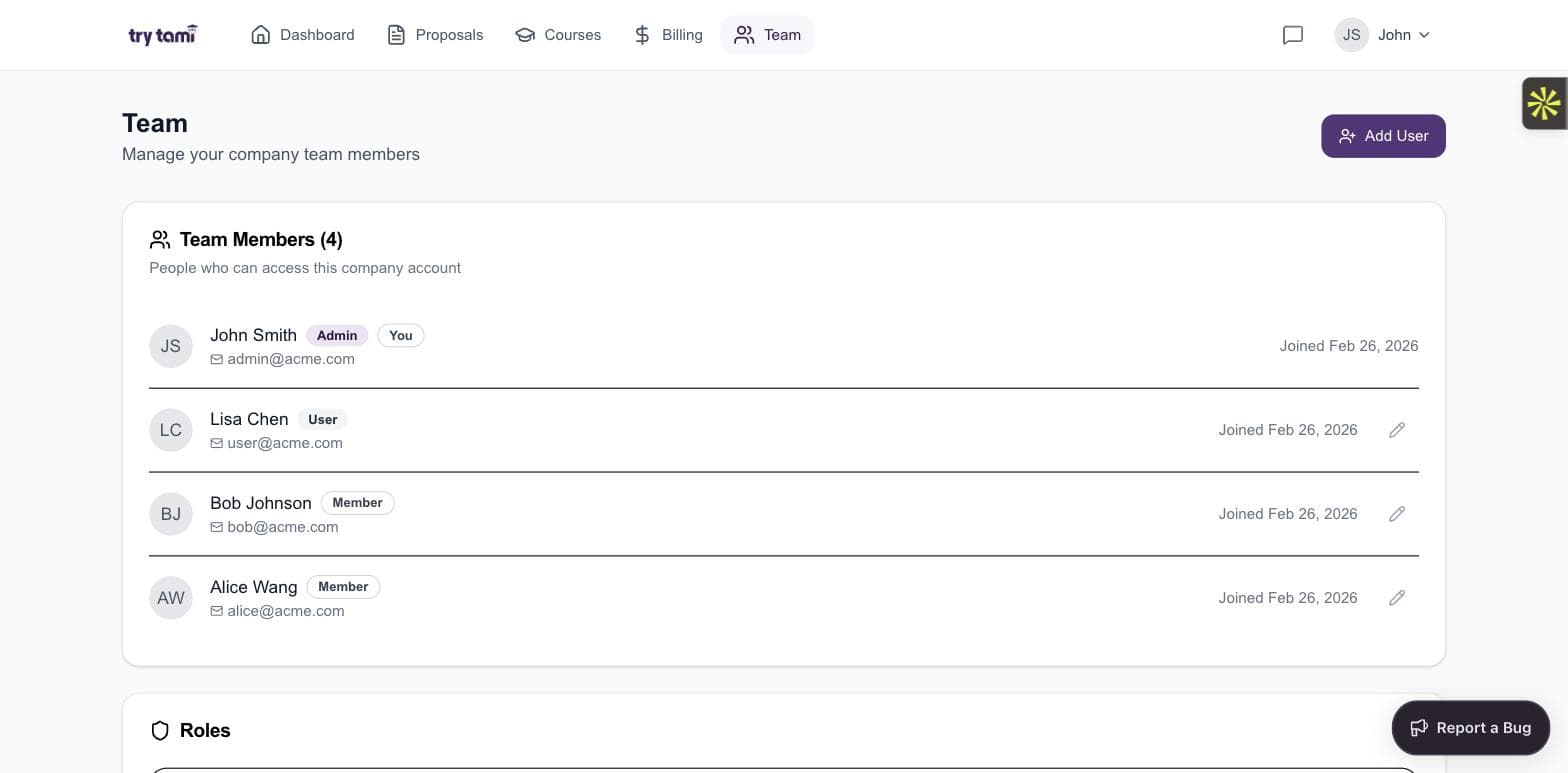
Team management
Customers manage their own users.
Role-based access for admins, users, and members. Customers add and remove team members without filing a support ticket.
- Admin, User, and Member role tiers
- Self-service add and remove of team members
- Joined-date audit trail
- Per-role permissions for proposals, courses, and billing
Frequently asked questions
What's the difference between a customer portal and a client portal?
Most people use the terms interchangeably. Customer portal tends to be used by B2C and consumer SaaS. Client portal tends to be used in B2B and professional services. In training companies, you will hear both. TryTami's customer portal is built for training-company B2B clients with full course catalog, registration, and history.
How does a training customer portal lift sales?
Self-service reduces friction. Every time a client can book a session in the portal instead of emailing your team for a quote, you capture revenue you might have lost to delay or competing priorities. Customers also tend to book more when they can see your full catalog and live availability instead of asking for a curated PDF.
Can we white-label the customer portal?
Yes. TryTami's customer portal supports your logo, brand colors, and a custom subdomain. Clients see something that feels like part of your business, not a third-party app.
Does the portal integrate with the rest of TryTami?
Yes. The portal is part of the platform. Registrations, capacity, scheduling, instructor data, and revenue all flow through one system. No syncing between tools.
People also ask
What is customer portal software?
Customer portal software is the branded self-service area where customers manage their account, see what is available, and complete transactions without contacting your team. For training companies, that translates into course catalogs, schedules, registrations, and history.
Training management software →How do training companies use a client portal to grow?
By turning every existing client account into a self-service sales channel. Clients book more sessions, more often, with less friction. Your team spends less time on quote turnaround and more on growing new business.
Software for training companies →What is the best customer portal software for a training business?
Look for branded self-service, integrated course catalog, multi-learner registration, capacity rules, and live data from the rest of your operation. Generic client portal software does not handle the training-specific complexity.
Best training management software →Related TryTami topics
Training registration software
The registration flow that feeds into the customer portal.
Training scheduling software
The schedule that customers see when they log in.
Software for training companies
Built for commercial training providers.
Training management software
The full platform the customer portal sits inside.
See how TryTami runs your training operation.
Request a 30-minute demo with the founders. No slides, just the platform.