
Training Tracking Software and Training Matrix Reporting
Attendance, completions, evaluations, revenue, instructor utilization, and a live training matrix across every client and program. TryTami's tracking and reporting layer turns delivery into measurable, reportable, improvable work, and replaces the training matrix spreadsheet most providers still maintain by hand.
What is training tracking software?
Training tracking software is the layer of training management software that captures, surfaces, and reports on what is happening across delivery: attendance, completions, evaluation scores, instructor utilization, revenue, and program outcomes. It is how training company leaders and L&D teams know what is actually working, in real time, instead of waiting for a month-end report.
Without real tracking, every L&D conversation devolves into anecdote. With it, you can show the CFO exactly what training cost, the CHRO exactly what completed, and the business unit leader exactly which programs moved the needle.
What TryTami tracks
The data that runs a real training operation.
Session-level attendance
Per-session attendance, drop-offs, and completions tracked automatically, no more chasing instructors for sign-in sheets.
Evaluation scores
Post-session evaluations captured and aggregated by program, instructor, region, or any dimension you care about.
Revenue + cost tracking
Booked, dedicated, public revenue and instructor cost per session, surfaced live, not at month-end close.
Instructor utilization
See which trainers are over-booked and which are under-utilized, in real time.
Program-level outcomes
Roll up sessions into programs and tracks. Report on completion rates and outcomes per cohort, business unit, or region.
Custom reporting + exports
Build the reports your stakeholders ask for. Export to CSV/API for downstream BI tools.
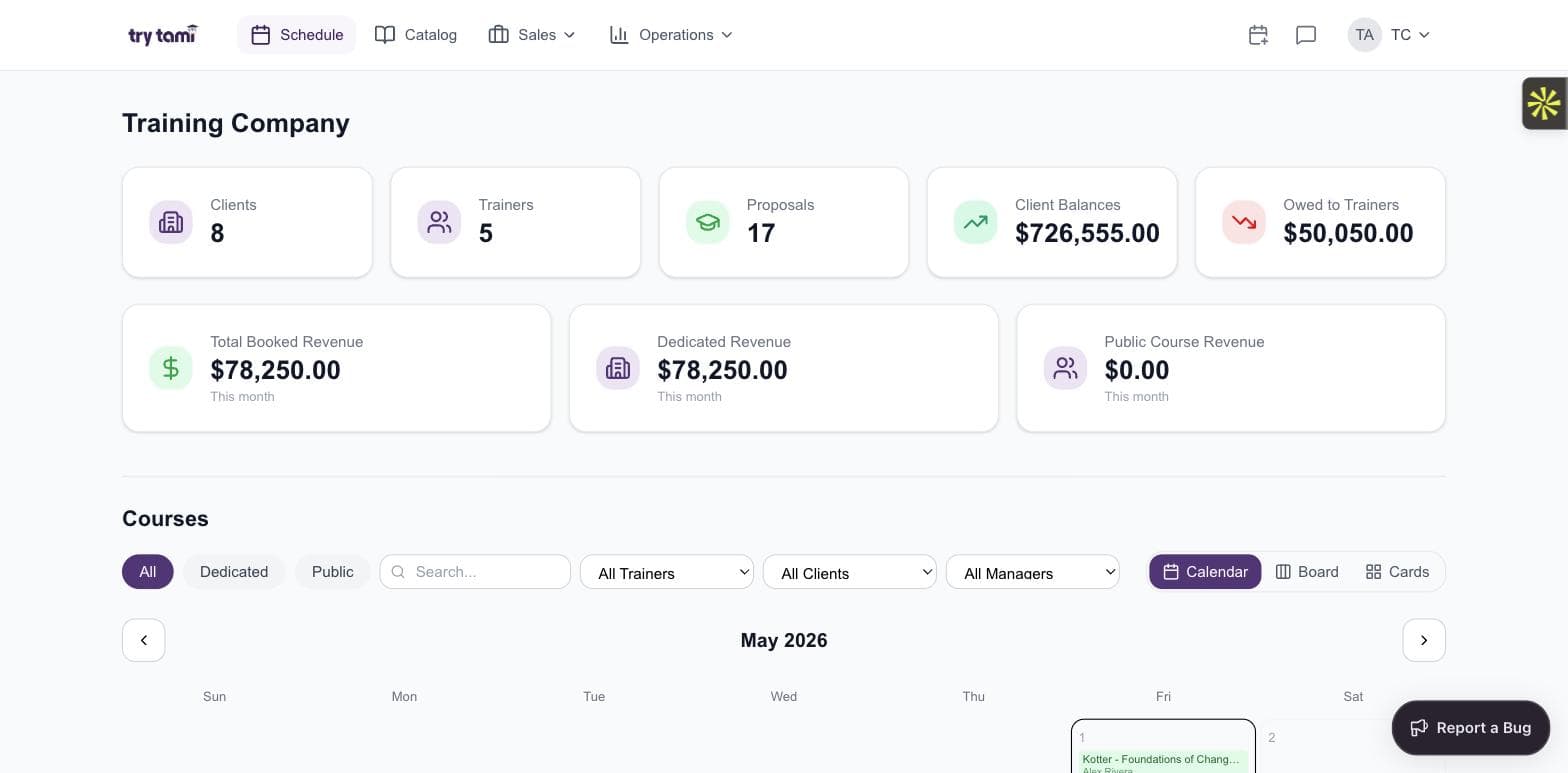
Dashboard
The numbers your stakeholders actually ask about.
Booked revenue, dedicated revenue, public-course revenue, client balances, owed-to-trainers, surfaced live on the schedule dashboard, not buried in a quarterly export.
- Real-time revenue and balance metrics
- Instructor utilization and pay tracking
- Filter by program, region, or business unit
- Drill down from rollups to individual sessions
Billing
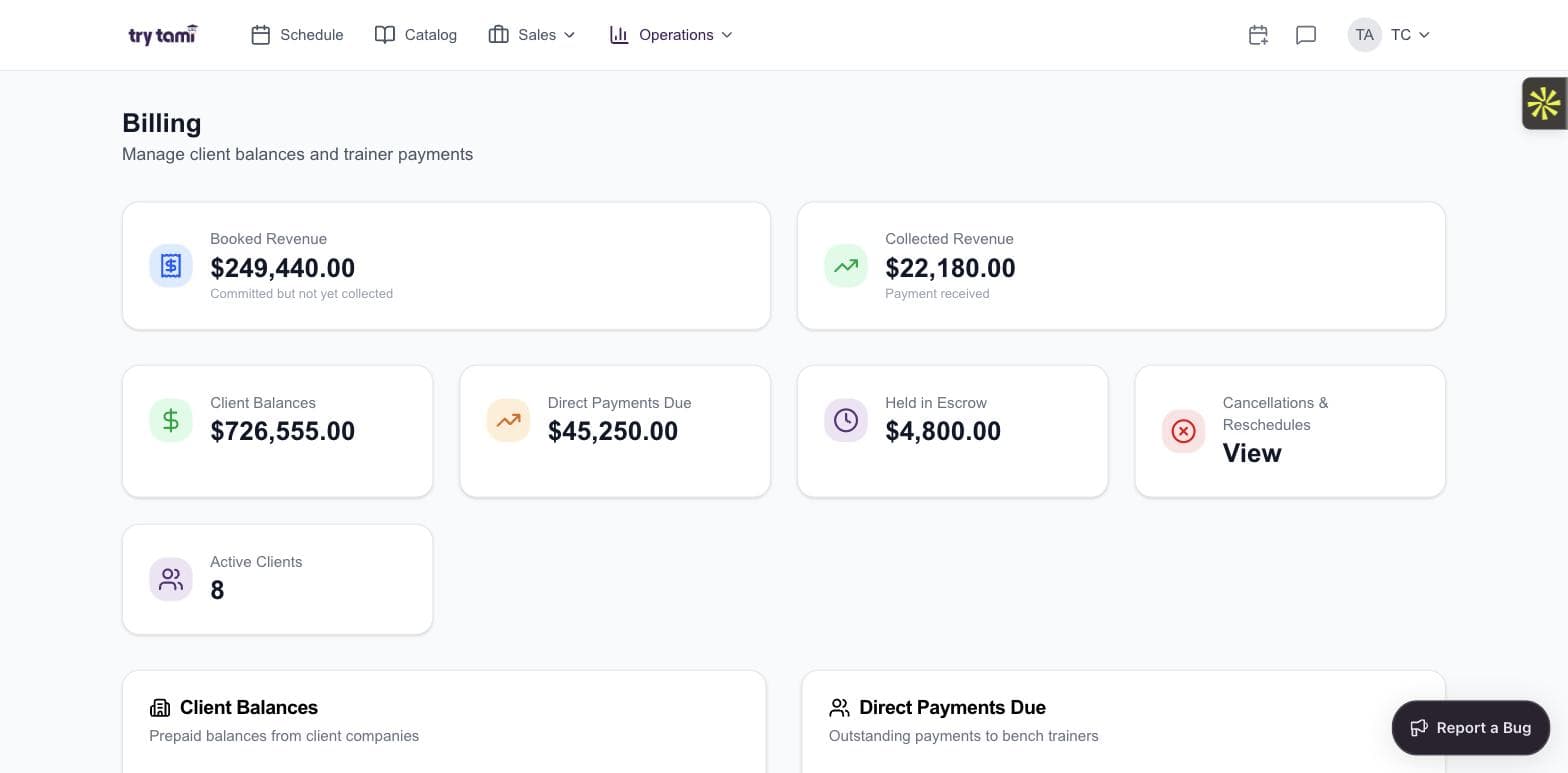
Revenue tracked the way finance needs to see it.
Booked, collected, client balances, direct payments due, held in escrow, cancellations and reschedules. Each pulled live from the operational system, not reconciled monthly.
- Booked vs collected revenue, real-time
- Per-client balance + escrow tracking
- Direct payments owed to bench trainers
- Statements your clients can audit themselves
Ops intelligence
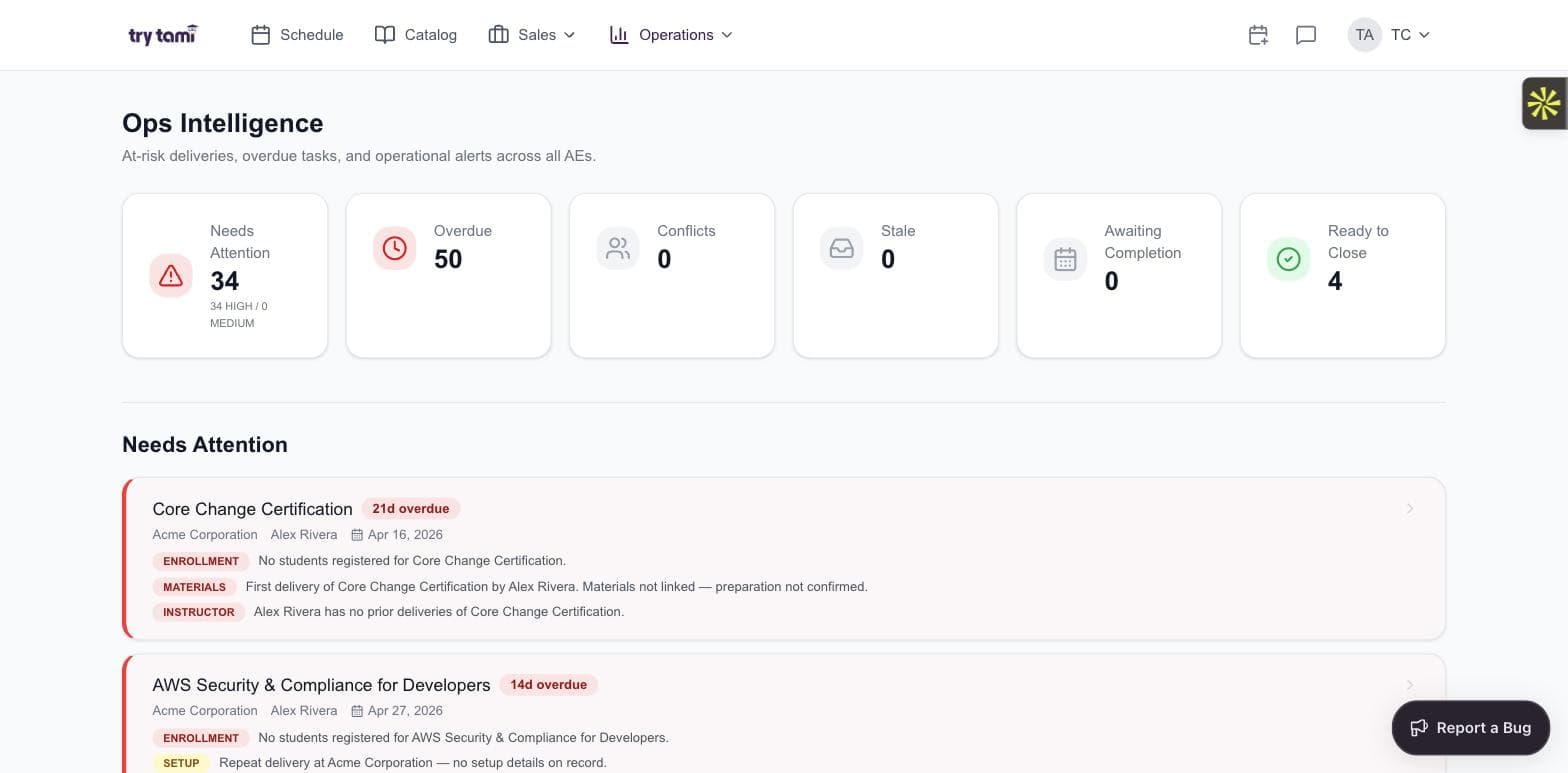
See the operational health of every program.
Overdue deliveries, materials issues, enrollment gaps, conflicts. The same data that runs your operation rolls up into reports your leadership team actually trusts.
- At-risk deliveries flagged automatically
- Operational health metrics per program
- Drill into specific incidents from the rollup
- Same data, no monthly reconciliation
Replace your monthly export with a live dashboard.
See TryTami's tracking and reporting on real training data.
Frequently asked questions
Can TryTami report on individual employee training?
Yes. Every session is tied to specific learners, so per-employee training records, completions, and certifications are tracked end-to-end.
Does TryTami integrate with our BI tool?
TryTami exports to CSV and via API. Native integrations with major BI platforms are on the roadmap.
How granular is the revenue tracking?
Per-session, per-course, per-client, per-instructor. Roll up however you need.
People also ask
What's the best employee training tracker?
An employee training tracker tied to your TMS gives you per-learner attendance, completions, and certifications, the data your CHRO actually wants.
Employee training tracker →How do I measure training ROI?
Tie tracking data (completions, evaluation scores, costs) to business KPIs (ramp time, retention, certification rates). The TMS surfaces the data; you do the tying.
Training ROI guide →Related TryTami features
Ops intelligence
The analytics layer on top of tracking and reporting.
Evaluations
Capture training effectiveness post-session.
Employee training tracker
Per-learner training history and certifications.
Training records management
Audit-ready records, expiry, and renewals.
Training ROI
How to prove training pays back to the business.
See your training operation in real time.
See how TryTami's tracking and reporting work in a 30-minute live demo.